折腾版
部署onebot实现
napcat ,llob ,Lagrange.OneBot ,其他选择
请在napcat/llob/Lagrange.OneBot/其他选择中任选其一部署。
基本上,要做的就是在onebot实现侧,设置一个【websocket服务端】,端口3001,access_token为空,这样Eridanus才可以连接到它。
napcat
请参照napcat文档部署napcat
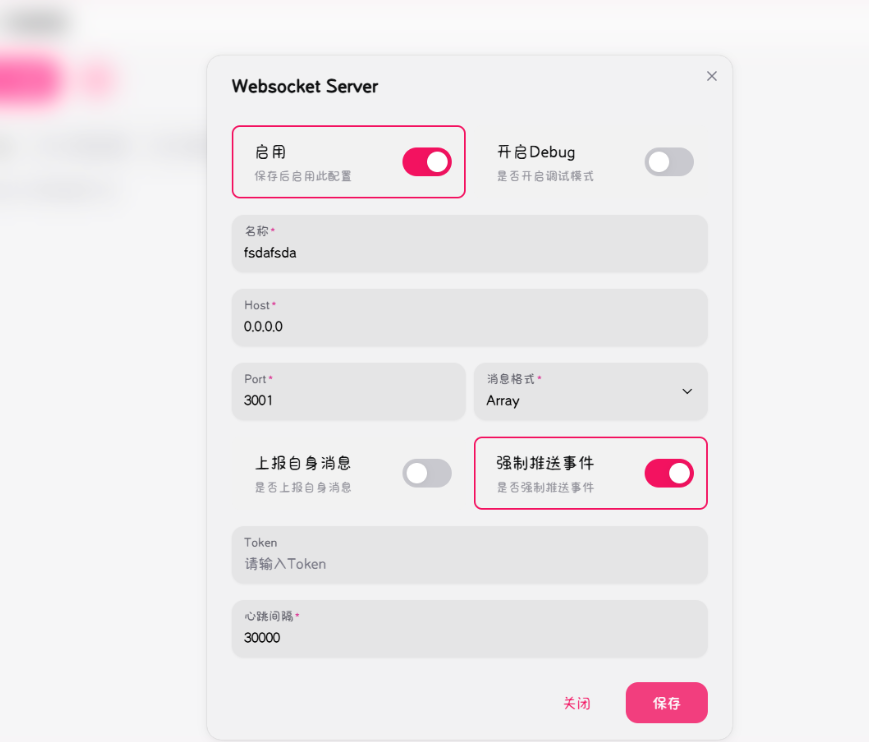
在webui配置ws服务器地址,端口为3001,token留空。 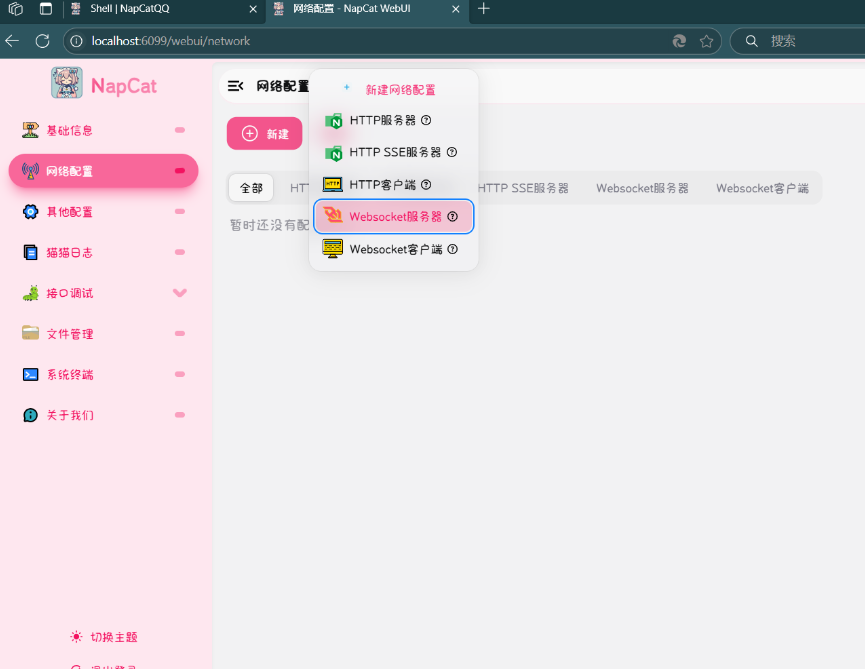
llob
参照llob官方文档 部署llob
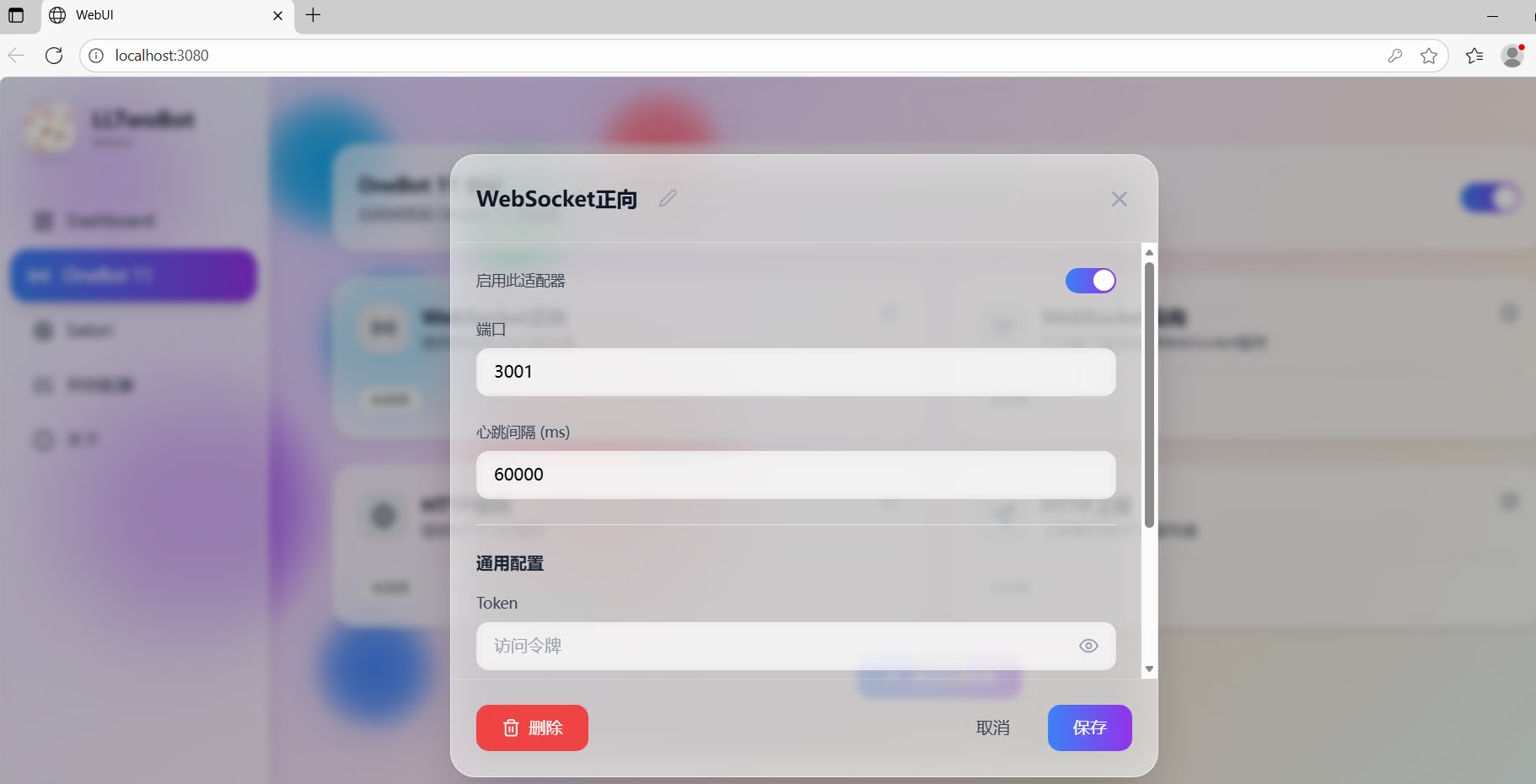
部署完成后,打开http://localhost:3080,这是llob的webui。接下来启用ws服务端。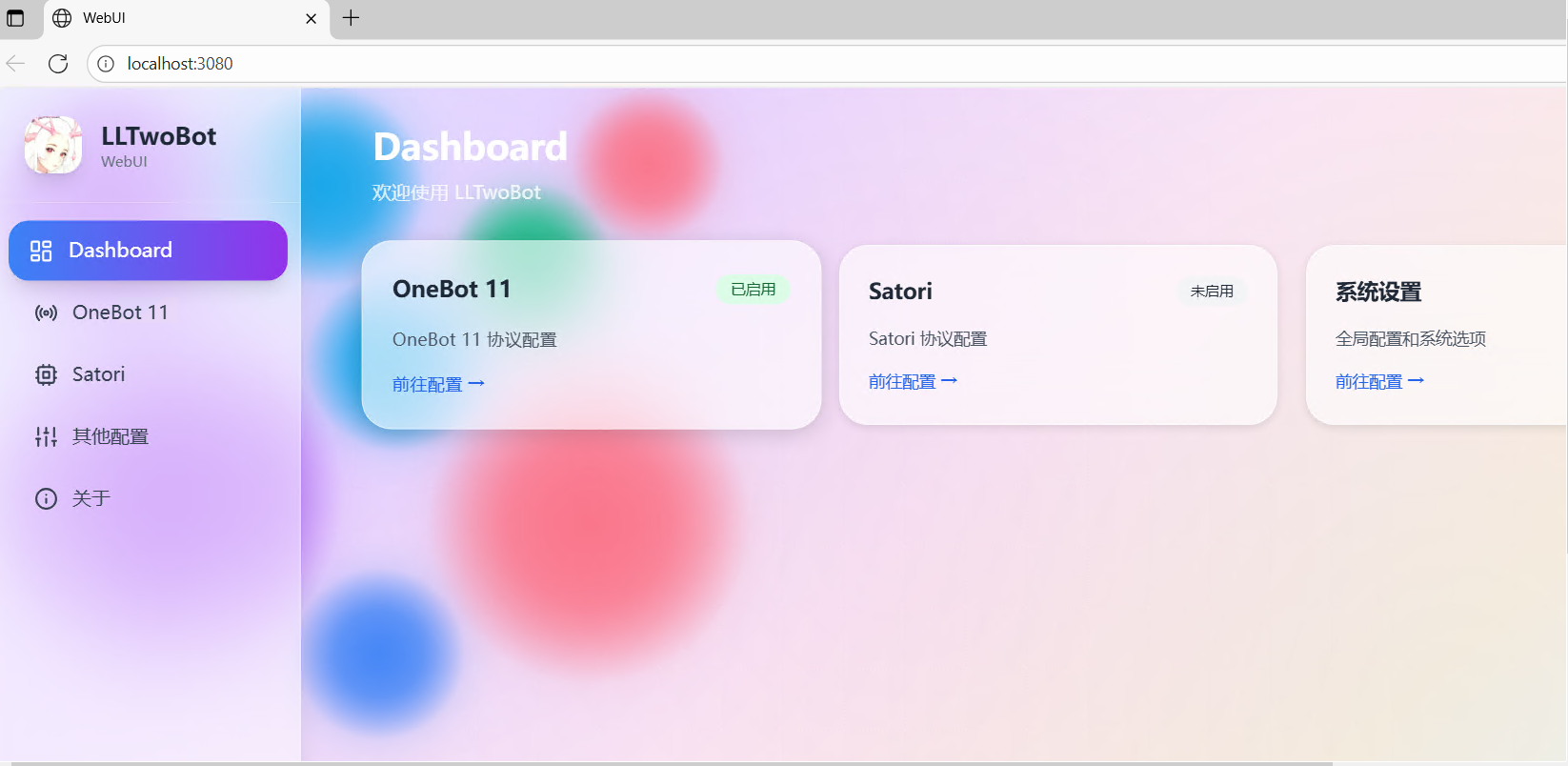
Lagrange.OneBot
Lagrange.OneBot文档
从release下载
运行Lagrange.OneBot.exe,会提示No exist config file, create it now... Please Edit the appsettings.json to set configs and press any key to continue
此时打开生成的appsettings.json,找到Implementations项,修改为下面这样并保存
    "Implementations": [
        {
            "Type": "ForwardWebSocket",
            "Host": "127.0.0.1",
            "Port": 3001,
            "HeartBeatInterval": 5000,
            "HeartBeatEnable": true,
            "AccessToken": "",
        }
    ]
在Lagrange.OneBot.exe窗口回车,完成扫码登录。
Lagrange.onebot的消息格式与napcat/llob等存在部分不一致,因此需要修改Eridanus配置文件以适配。
#搭建Eridanus后,在run/common_config/basic_config.yaml中,将adapter.name修改为Lagrange
adapter:
  name: "Lagrange"   #兼容性选项,如果用Lagrange,则必须填Lagrange,用其他onebot实现则不用动
部署Eridanus
以下命令任选其一
git clone --depth 1 https://github.com/avilliai/Eridanus.git
或使用镜像源
git clone --depth 1 https://mirror.ghproxy.com/https://github.com/avilliai/Eridanus.git
其他镜像源(推荐)
git clone --depth 1 https://github.moeyy.xyz/https://github.com/avilliai/Eridanus.git

git clone --depth 1 https://ghfast.top/https://github.com/avilliai/Eridanus.git

git clone --depth 1 https://gh.llkk.cc/https://github.com/avilliai/Eridanus.gitwindows用户装python3.11,需要勾选add to path
linux用户同样需要安装python3.11并配置环境变量
安装依赖
windows用户
运行Eridanus/一键部署脚本.bat
运行Eridanus/启动脚本.bat
linux用户
装完python3.11后,cd到Eridanus,pip install -r requirements.txt
自己再装个redis,配置好环境变量
python main.py